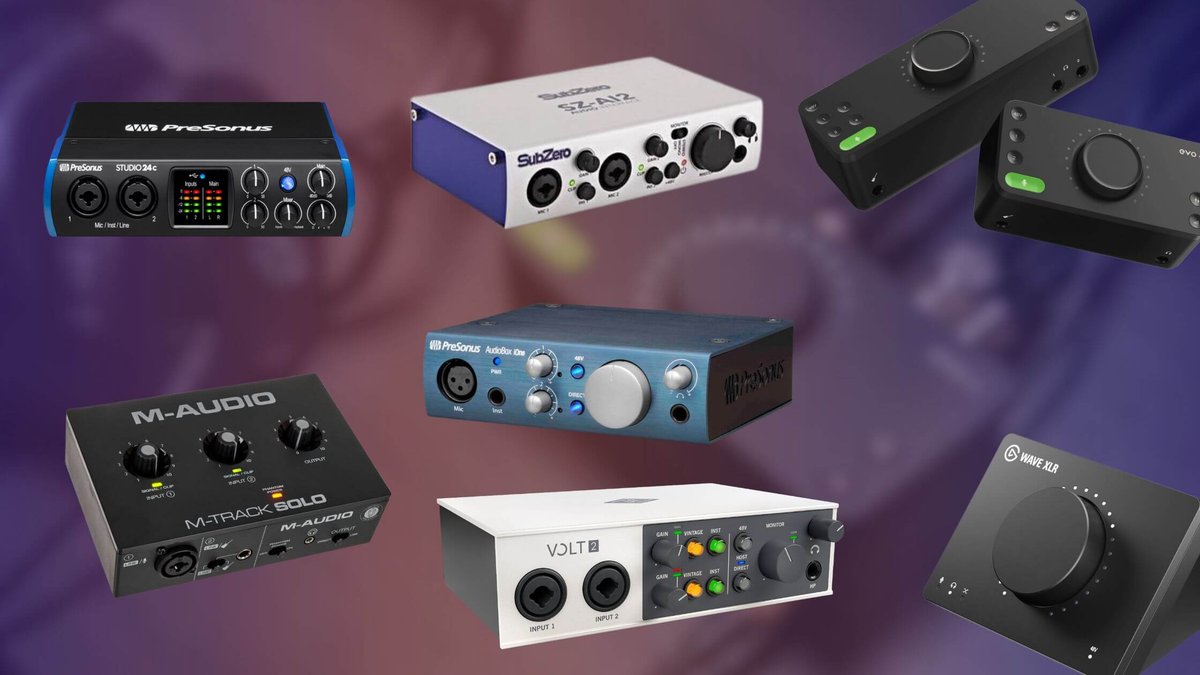
Stuck with muddy recordings? The right audio interface is your gateway to crystal-clear audio. But wading through specs and marketing hype to find the top audio interfaces for your needs can feel overwhelming. This guide cuts through the noise, helping you choose the perfect centerpiece for your recording setup, whether it's a bedroom studio or a professional suite.
At a glance:
- Discover how to match interface features to your specific recording needs (vocals, instruments, podcasts, bands).
- Learn to prioritize preamp quality, connectivity, and latency for optimal performance.
- Explore top interface recommendations across different budgets and use cases.
- Understand essential specs like sample rate, bit depth, and input gain staging.
- Gain the knowledge to avoid common pitfalls and make an informed purchasing decision.
Decoding Audio Interface Jargon: Essential Specs Explained
Before diving into specific models, let's clarify some key audio interface terminology. Think of your audio interface as the translator between your instruments and your computer. It converts analog signals (sound waves) into digital signals your computer can understand (and back again). Knowing these terms will empower you to choose wisely.
- Preamplifiers (Preamps): These boost the weak signal from your microphone to a usable level for recording. Higher-quality preamps offer cleaner, more detailed sound with less noise. Condenser mics usually need 60dB+ of gain, while dynamic mics might need 70dB+.
- Sample Rate: This determines how many "snapshots" of the audio signal are taken per second. Higher sample rates (e.g., 96kHz) capture more detail but require more processing power. 44.1kHz and 48kHz are common choices.
- Bit Depth: This refers to the resolution of each "snapshot." Higher bit depths (e.g., 24-bit) offer a wider dynamic range and lower noise floor than lower depths (e.g., 16-bit). 24-bit is generally recommended for recording.
- Input/Output (I/O): This indicates the number of inputs and outputs the interface has. More I/O allows you to record more instruments simultaneously and route audio to different destinations.
- Latency: This is the delay between playing or singing and hearing the sound through your headphones. Lower latency is crucial for a natural recording experience. Buffer size affects latency – smaller buffer sizes lead to lower latency but require more CPU power.
- Connectivity (USB, Thunderbolt): USB is the most common connection type, offering broad compatibility. Thunderbolt provides faster speeds and lower latency, especially beneficial for larger projects and real-time plugin processing.
Consider this example: Let's say you're recording a vocalist. A low-noise preamp with ample gain (over 60dB) is key. You’ll also want to monitor the input levels carefully on the interface's gain staging LEDs. Green means your signal is healthy, yellow indicates occasional peaks are okay, and red signals that you're clipping (introducing unwanted distortion). Aim for peaks around -12dBFS for a clean recording.
Matching Interface Features to Your Needs: A Practical Guide
The "best" audio interface isn't a universal concept. It depends entirely on your specific recording needs and workflow. Here are a few options, prioritizing naturalness and clarity: * Simplify your recording setup. * Learn about audio interfaces. * Choosing the right interface. * Improve your recording quality. * Understanding audio interfaces. to gain a clearer understanding of audio interfaces in general. Let's break it down by common scenarios:
1. Solo Singer-Songwriter / Voiceover Artist:
- Focus: High-quality preamp, low noise floor, simple workflow.
- I/O: 1-2 mic inputs, 1-2 instrument inputs, stereo outputs.
- Key Features: Excellent preamps for vocals, direct monitoring for zero-latency recording, headphone output with good level control.
- Examples: Focusrite Scarlett Solo/2i2, Audient iD4 MkII, Solid State Logic SSL 2+ MKII.
2. Guitarist / Bassist: - Focus: Instrument input with high headroom, amp simulation compatibility, re-amping capabilities (optional).
- I/O: 1-2 instrument inputs (DI), 1-2 mic inputs (for amp recording), stereo outputs.
- Key Features: A dedicated instrument input with high impedance (Hi-Z) to properly capture the tone of your instrument.
- Examples: IK Multimedia AXE I/O, Focusrite Scarlett 2i2, Universal Audio Apollo Twin X (with Unison preamps).
3. Podcaster / Streamer: - Focus: Multiple mic inputs, easy gain control, onboard processing (optional), loopback functionality.
- I/O: 2-4 mic inputs, headphone outputs with individual level control, stereo outputs.
- Key Features: Simple interface, dedicated headphone outputs, loopback for capturing computer audio.
- Examples: Rode Rodecaster Duo, Focusrite Scarlett 4i4, Universal Audio Volt 276.
4. Small Band / Drum Recording: - Focus: Multiple mic inputs, low noise floor, reliable drivers, ADAT expansion (optional).
- I/O: 8+ mic inputs, multiple headphone outputs, stereo outputs.
- Key Features: Enough inputs to mic all drums simultaneously. ADAT expansion allows you to add more inputs later if needed.
- Examples: Focusrite Scarlett 18i20, Audient ASP800 (with an interface that has ADAT input), PreSonus Studio 1824c.
5. Electronic Music Producer: - Focus: Low latency, MIDI connectivity, balanced outputs for studio monitors, digital I/O (optional).
- I/O: Stereo inputs, stereo outputs, MIDI In/Out, S/PDIF or ADAT (optional).
- Key Features: Stable drivers and low latency are essential for working with software instruments and effects.
- Examples: Universal Audio Apollo Twin X, RME Babyface Pro FS, Native Instruments Komplete Audio 6.
Quick Tip: Consider your future needs. Even if you only need two inputs now, opting for an interface with more I/O or expansion options can save you money in the long run.
Key Considerations Beyond the Specs Sheet
While technical specifications are important, they don't tell the whole story. These factors can significantly impact your recording experience:
- Driver Stability: This is crucial. A powerful interface with unreliable drivers is useless. Research user reviews and forums to assess driver stability for your operating system and DAW.
- Preamp Quality: Listen to audio samples and read reviews to get a sense of the preamp's sound. Does it sound clean and transparent, or does it add its own color? What sounds best for your voice and instruments?
- Ease of Use: Is the interface intuitive to use? Are the controls clearly labeled? A simple, well-designed interface can save you time and frustration.
- Brand Reputation: Some brands are known for their exceptional audio quality, while others are known for their affordability. Choose a brand that aligns with your priorities and budget.
Example: Imagine two interfaces with similar specs, but one has known driver issues on macOS. Even if the other interface is slightly less powerful on paper, the stability it offers makes it a more reliable choice for a Mac user.
Addressing Common Concerns: Q&A
- Q: Do I really need an expensive audio interface?
- A: Not necessarily. A budget-friendly interface can be a great starting point. However, investing in a higher-quality interface will generally result in better sound quality and a more enjoyable recording experience. The key is to find the interface that meets your specific needs.
- Q: What's the difference between USB and Thunderbolt interfaces?
- A: Thunderbolt offers faster speeds and lower latency than USB. This is especially beneficial for larger projects, real-time plugin processing, and demanding tasks like drum recording. USB is more widely compatible and generally more affordable.
- Q: How important is the sample rate and bit depth?
- A: While higher sample rates and bit depths can capture more detail, the difference is often subtle. 44.1kHz/24-bit or 48kHz/24-bit is generally sufficient for most recording projects. More important than chasing ultra-high specs is focusing on good gain staging, a low noise floor and quality preamps.
- Q: What is "direct monitoring" and why is it important?
- A: Direct monitoring allows you to hear your input signal (e.g., your voice or guitar) directly from the interface, bypassing the computer's audio processing. This eliminates latency, providing a real-time, natural recording experience. It's crucial for vocalists and instrumentalists.
- Q: What is ADAT and when do I need it?
- A: ADAT is a digital audio interface that allows you to expand the number of inputs on your audio interface. You'll need it if you plan to record multiple instruments or microphones simultaneously (e.g., a drum kit) and you run out of inputs on your main interface. You can connect an ADAT-equipped preamp (like the Audient ASP800) to your main interface.
Optimizing Your Audio Interface for Peak Performance: A Quick Start
Follow these steps to ensure you're getting the best possible sound from your new audio interface:
- Install the Latest Drivers: Always download and install the latest drivers from the manufacturer's website. This is critical for stability and performance.
- Set Your Sample Rate and Bit Depth: Choose a sample rate and bit depth appropriate for your project (44.1kHz/24-bit or 48kHz/24-bit are good starting points).
- Adjust Your Buffer Size: Experiment with different buffer sizes to find the lowest setting that doesn't cause audio dropouts or glitches. Start with a higher buffer size and gradually decrease it until you encounter problems.
- Gain Stage Correctly: Set your input gain so that your signal peaks around -12dBFS. Use the gain knobs on your interface and monitor the input levels on the interface's LEDs.
- Use Balanced Cables: Balanced cables (TRS or XLR) help reduce noise and interference.
- Minimize Background Noise: Record in a quiet environment and use acoustic treatment (e.g., acoustic panels) to reduce reflections.
Mastering these steps will drastically improve the quality of your recordings.
Finding Your Perfect Sound
Choosing from the top audio interfaces doesn't have to be a headache. Understanding your recording goals, key specs, and the practical considerations discussed here will put you on the path to finding the perfect studio sound. Prioritize your needs, research thoroughly, and trust your ears. Happy recording!