For the bigger picture and full context, make sure you read our main guide on Sample Machine: Rediscovering Music Creation with Sound Sampling.
Ever had a killer melody stuck in your head but struggled to translate it into a full-fledged track? A sampler sequencer might be your answer, turning those fleeting ideas into tangible grooves. It's the bridge between inspiration and realization, a cornerstone of modern music production, whether you're crafting intricate beats or experimenting with sound design.
At a glance:
- Discover how a sampler sequencer combines sampling and sequencing for powerful music creation.
- Learn the key features to look for when choosing the right sampler sequencer for your needs.
- Explore practical tips for using a sampler sequencer to develop your musical ideas quickly.
- Understand the difference between hardware and software sampler sequencers.
- Get answers to common questions about using sampler sequencers.
What Makes a Sampler Sequencer Tick?
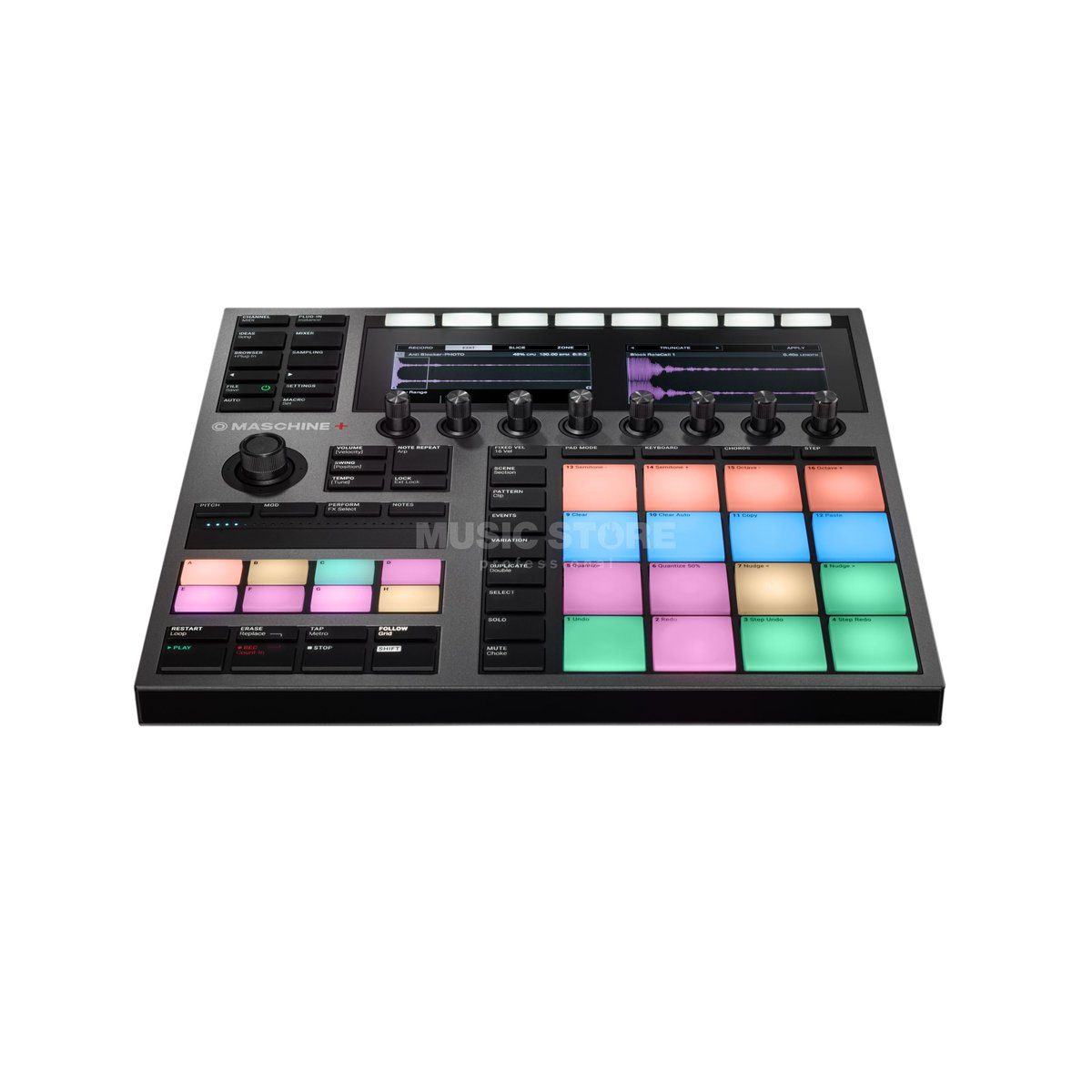
At its core, a sampler sequencer is a device (hardware or software) that allows you to record (sample) audio, manipulate it, and then arrange those sounds into a sequence – a musical pattern. Think of it as a digital instrument that lets you build entire songs from snippets of sound. It's more than just looping samples; it's about transforming them into something new and unique.
The magic happens when the sampling and sequencing capabilities work together seamlessly. You can record a drum hit, chop it up, re-pitch it, and then arrange those slices into a complex rhythm. You can sample a vocal phrase, reverse it, add effects, and then create a melodic sequence. The possibilities are virtually endless. Discover Sample Machine's capabilities and you'll see that a sampler sequencer is the ultimate playground for sonic experimentation.
Essential Features to Consider
Choosing the right sampler sequencer can feel overwhelming, given the range of options. Here's a breakdown of the critical features that will influence your workflow and creative output:
- Sampling Capabilities: Consider sample rates, bit depth, and editing tools. Aim for at least 44.1kHz/16-bit for decent quality, but 96kHz/24-bit is ideal for professional results. Editing tools like zero-crossing, slicing, and time-stretching are crucial for manipulating your samples.
- Sequencing Power: Look for a sequencer with enough tracks and patterns to accommodate your arrangements. A high-resolution sequencer, like the one in the teenage engineering EP-133 K.O. II (4 groups x 12 patterns), gives you more precise control over timing and groove.
- Memory and Storage: Sample memory is crucial. 64MB might be fine for basic experimentation, but 1GB or more will allow you to work with larger, more complex sample libraries. Also, consider the storage options (SD card, internal SSD) for saving your projects and samples.
- Effects: Built-in effects can significantly enhance your sound design capabilities. Reverbs, delays, filters, and distortion are essential. Look for a sampler sequencer that allows you to apply effects per track or globally, and that offers real-time control over effect parameters.
- Connectivity: USB, MIDI, and audio inputs/outputs are essential for integrating your sampler sequencer with other gear. USB allows you to transfer samples and projects to your computer, while MIDI lets you sync with other instruments and controllers. Balanced audio outputs are preferable for studio recording.
- Workflow: Is the interface intuitive? Does it have quick access to key functions? A good workflow can significantly speed up your creative process. This is down to personal preference, so watch videos, read reviews, and ideally, try out the device before committing.
Example:
Let's say you want to create a lo-fi hip-hop track. You'll need a sampler sequencer with good time-stretching capabilities to slow down your samples without introducing artifacts. You'll also want a sequencer with swing or shuffle to add a more relaxed groove. Finally, built-in effects like reverb and EQ will help you create that warm, dusty lo-fi sound. The Elektron Digitakt might be a good choice in such case.
Hardware vs. Software: Which is Right for You?
The debate between hardware and software sampler sequencers is ongoing, and the "best" choice depends on your individual needs and preferences.
Hardware Sampler Sequencers:
- Pros: Dedicated hardware offers a hands-on, tactile experience that many musicians find more engaging and inspiring. They are often more reliable than software, as they are not subject to the same software crashes and compatibility issues. They are also self-contained, meaning you don't need a computer to use them.
- Cons: Can be more expensive than software. They may have limited storage and processing power compared to computers. Updating and expanding their capabilities can be more difficult.
Software Sampler Sequencers: - Pros: More affordable than hardware. Offer greater flexibility and integration with other software. Can take advantage of the processing power and storage of your computer. Easy to update and expand their capabilities with new plugins and features.
- Cons: Require a computer to use. Can be prone to software crashes and compatibility issues. The screen-based interface may not be as engaging as a hardware sampler sequencer.
Hybrid Approach:
Many musicians use a combination of hardware and software sampler sequencers. For example, you might use a hardware sampler sequencer for live performance and a software sampler sequencer for studio production. Or you might use a hardware sampler sequencer to create the basic groove and then transfer it to a software sampler sequencer for further editing and mixing.
Quick comparison table:
| Feature | Hardware Sampler Sequencer | Software Sampler Sequencer |
|-------------------|---------------------------|---------------------------|
| Cost | Higher | Lower |
| Hands-on Control | Excellent | Limited |
| Reliability | High | Variable |
| Flexibility | Limited | Excellent |
| Integration | Limited | Excellent |
| Portability | High (usually) | Dependent on laptop |
Level Up Your Workflow: Practical Tips
Here are some practical tips for maximizing your sampler sequencer's potential:
- Embrace Imperfection: Don't be afraid to experiment and make mistakes. Some of the most interesting sounds come from unexpected errors.
- Chop Strategically: Learn to slice your samples at musically relevant points. This will give you more control over the rhythm and timing of your sequences. Zero-crossing is your friend!
- Layer and Combine: Don't be afraid to layer multiple samples to create richer, more complex sounds. Try layering different drum sounds, or combining a vocal sample with a synth pad.
- Automate Everything: Use automation to add movement and variation to your sequences. Automate filter cutoff, reverb send, or even sample start time to create evolving textures.
- Sample Everything: Train your ear to recognize interesting sounds around you. Sample everyday objects, record snippets of conversations, or even sample your own voice.
Case snippet:
Imagine you're using the Roland SP-404MKII. You find a cool synth stab in a sample pack. Instead of just looping it, you chop it into several slices, re-arrange them, and add a heavy dose of reverb. Then, you use the SP-404MKII's sequencer to create a complex pattern with those slices, adding swing and subtle variations. Finally, you use the SP-404MKII's performance pads to trigger different patterns and effects in real-time, creating a dynamic and evolving performance.
Quick Answers: Your Sampler Sequencer FAQs
- Q: Can I use a sampler sequencer for live performance?
- A: Absolutely! Many sampler sequencers, like the Akai MPC Live II and the Roland SP-404MKII, are designed for live performance. They offer features like performance pads, real-time effects control, and seamless transitions between patterns.
- Q: Do I need to know music theory to use a sampler sequencer?
- A: While music theory knowledge can be helpful, it's not essential. Sampler sequencers are all about experimentation and sonic exploration. You can learn as you go.
- Q: What's the difference between a sampler and a synthesizer?
- A: A sampler uses recorded audio as its sound source, while a synthesizer generates sound electronically. Some instruments, like the teenage engineering OP-1, combine both sampling and synthesis capabilities.
- Q: Can I sample from streaming services like Spotify?
- A: While technically possible, sampling from copyrighted sources without permission is illegal. It's always best to use royalty-free samples or create your own recordings.
- Q: What are some good resources for learning more about sampler sequencers?
- A: YouTube is a great resource for tutorials and demonstrations. Online forums and communities dedicated to specific sampler sequencers can also be helpful.
Your Sampler Sequencer Playbook: A Quick Start
Ready to dive in? Here's a quick start guide:
- Choose Your Weapon: Select a sampler sequencer that fits your budget and workflow. Consider hardware vs. software, and pay attention to the features that are most important to you.
- Gather Your Sounds: Start building a library of samples. Record your own sounds, download royalty-free samples, or use sample packs.
- Load and Chop: Load your samples into your sampler sequencer and start chopping them into smaller slices.
- Sequence It: Arrange your slices into musical patterns using the sequencer. Experiment with different rhythms, tempos, and time signatures.
- Add Effects: Use built-in effects to enhance your sounds and add character to your sequences.
- Perform and Record: Perform your sequences live, or record them into your DAW for further editing and mixing.
The world of sample sequencing is vast and exciting, offering endless possibilities for creative expression. By understanding the key features, exploring different workflows, and experimenting with sound design, you can unlock the full potential of this powerful tool and create music that is uniquely your own. Now, go make some noise!