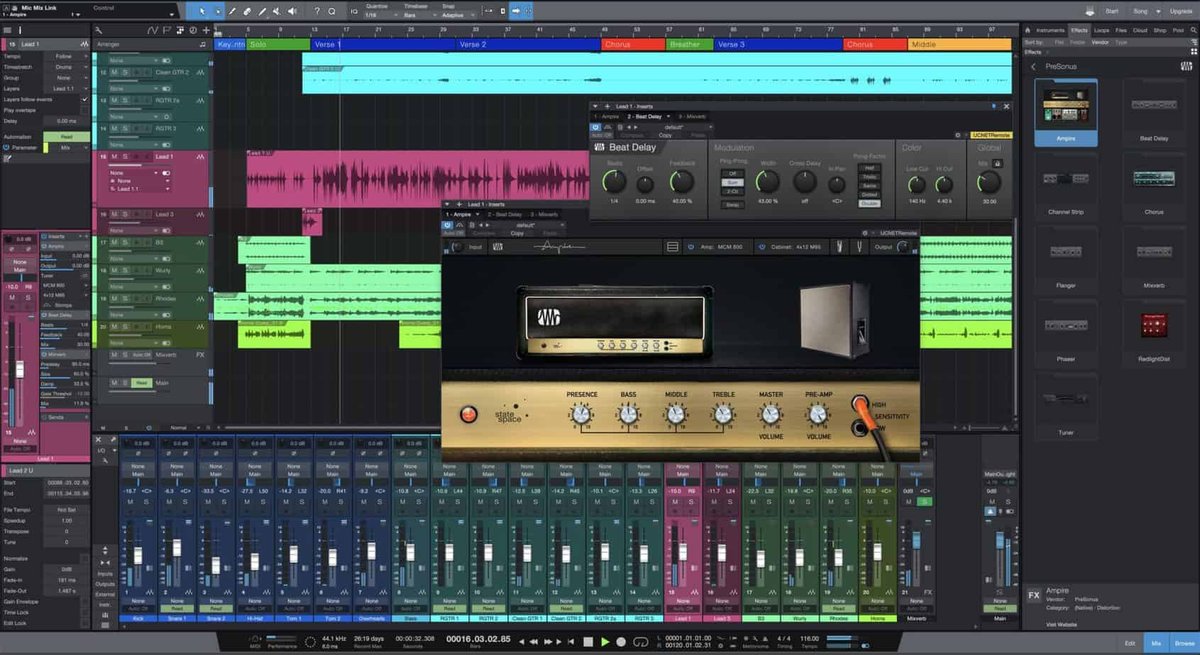
Want to start making music but dread the cost of professional software? The good news is that many excellent daw programs free exist, offering powerful tools without breaking the bank. This guide dives deep into your best options and how to choose the right one for your needs.
At a glance:
- Discover top-tier free DAWs (Digital Audio Workstations) for Mac and PC.
- Learn how to pick the right DAW based on your experience and goals.
- Understand the limitations of free DAWs and how to work around them.
- Get practical tips to start producing quality music without spending a dime.
- Explore upgrade paths if you outgrow your free DAW.
Why Choose a Free DAW?
The world of music production can seem intimidating, especially when you see the price tags on industry-standard DAWs. But access to daw programs free significantly lowers the barrier to entry. They're perfect for:
- Beginners: Get your feet wet without financial risk.
- Hobbyists: Create music for fun without the pressure of a professional environment.
- Musicians on a Budget: Produce tracks and demos without draining your savings.
- Testing the Waters: See if music production is truly for you before investing in paid software.
Top Free DAWs: Your Options
Here's a closer look at some of the best daw programs free available, highlighting their strengths and weaknesses:
For Mac Users:
- GarageBand: Pre-installed on macOS, GarageBand is incredibly user-friendly, packed with instruments, loops, and Apple's Drummer feature. It's a great all-arounder, even used on Rihanna’s iconic hit "Umbrella" for its drum loop.
- Waveform Free: A surprisingly powerful DAW with unlimited tracks and plugin support. Don't let the "free" label fool you; this is a serious contender for more advanced users.
- BandLab (Browser-Based): Perfect for collaboration, BandLab lives in your browser, allowing you to create and share music with others easily.
For PC Users: - Waveform Free: Cross-platform compatibility makes Waveform Free a solid choice on Windows too.
- Cakewalk by BandLab: This Windows-only DAW, derived from SONAR Platinum, boasts unlimited tracks and VST3 support. It's essentially a professional DAW given away for free, requiring just a BandLab account.
- MPC Beats: If beat-making is your focus, MPC Beats delivers a streamlined workflow similar to Akai Professional's legendary MPC hardware.
Cross-Platform (Mac & PC): - Waveform Free: As mentioned, this is a stellar option for both ecosystems.
- BandLab (Browser Based): Accessible on any device with a web browser.
- MPC Beats: Replicates the feel of a physical MPC inside of a DAW environment.
- REAPER (Free Trial): While technically a trial, REAPER's fully functional un-timed evaluation period lets you test it indefinitely. A license is only $60 for non-commercial use.
- Pro Tools First: A limited version of the industry standard.
- Studio One 5 Prime: Solid general-purpose DAW with a limited array of plugins.
- Cubase LE: A very limited version of Cubase.
- SoundBridge: Clean design for easy learning.
- LMMS: Open source DAW that mimics FL Studio.
- Ardour: Powerful open source DAW that's great for live recording and mixing.
- Zenbeats: A "music creation app" from Roland.
- OHM Studio: Designed for real-time collaboration.
- Qtractor: a Linux focused audio/MIDI multi-track sequencer.
- MuLab: Easy-to-use tool with integrated synth engine.
- Podium: A freeware version that's slightly limited.
- Audacity: Primarily an audio editor but often used as a simple DAW.
Choosing the Right Free DAW: A Step-by-Step Guide
Selecting the perfect daw programs free depends on several factors. Consider these steps:
- Define Your Goals: Are you primarily making beats, recording vocals, or composing orchestral pieces? Different DAWs excel at different tasks.
- Example: If beat-making is your focus, MPC Beats or Serato Studio might be ideal. If you need a more well-rounded solution, GarageBand or Waveform Free could be better fits.
- Check Compatibility: Ensure the DAW runs smoothly on your operating system (macOS, Windows, or Linux).
- Pitfall: Some DAWs, like Cakewalk by BandLab, are exclusively for Windows.
- Understand Limitations: Free DAWs often have restrictions on the number of tracks, available instruments, or export options. Be aware of these limitations upfront.
- Example: Pro Tools First limits you to 16 tracks and 3 projects.
- Assess Your Experience Level: Beginners might prefer user-friendly interfaces like GarageBand or Serato Studio. More experienced users might appreciate the flexibility of Waveform Free or REAPER.
- Tip: Don't be afraid to try multiple DAWs to see which workflow clicks with you.
- Evaluate Upgrade Paths: Does the free DAW offer a paid upgrade with more features if you outgrow the free version?
- Benefit: Upgrading can be a smooth transition, as you're already familiar with the DAW's interface and workflow.
- Explore Community Support: Look for DAWs with active online communities, tutorials, and forums. This can be invaluable for troubleshooting and learning new techniques.
Working Around Limitations: Practical Tips
While free DAWs offer a lot, they often come with limitations. Here's how to navigate them:
- Track Limits: Bounce tracks to audio to free up tracks for new elements. This "freezes" the audio so it consumes one track.
- Plugin Restrictions: Explore free VST plugins to expand your sound palette. There are countless high-quality free plugins available online.
- Limited Instruments: Focus on mastering the instruments you have. Experiment with effects and processing to create unique sounds.
- Export Options: If your free DAW limits export formats, consider using a free audio converter to change the file type.
- Collaboration: Use cloud-based storage (Google Drive, Dropbox) to share project files with collaborators.
Now that you know your options, take a look at the bigger picture. Start Making Music Free and get more detail on some of the core concepts.
Example Use Case: From Bedroom Producer to Streaming Artist
Sarah started with GarageBand on her Mac. She used it to create simple beats and record her vocals. As she improved, she felt limited by GarageBand's features. She then switched to Waveform Free, which offered more flexibility and plugin support. She explored free VST synths and effects, expanding her sonic palette. Eventually, she upgraded to Waveform Pro to unlock even more advanced features and support her growing career as a streaming artist.
Detailed DAW Feature Chart
Consider this table to help pick your DAW:
| Feature | GarageBand | Waveform Free | Cakewalk by BandLab | MPC Beats |
|---|---|---|---|---|
| Operating System | macOS | Mac/PC | Windows | Mac/PC |
| Track Limit | Unlimited | Unlimited | Unlimited | Unlimited |
| VST Support | AU | VST | VST3 | VST |
| User Friendliness | High | Medium | Medium | Medium |
| Best For | Beginners, All-Around | Versatile Production | Advanced Users | Beat Making |
Quick Answers: Common Questions About Free DAWs
Q: Are free DAWs as good as paid DAWs?
While paid DAWs generally offer more features and advanced capabilities, many free DAWs are surprisingly powerful. They can be excellent starting points and even suitable for professional use, depending on your needs.
Q: Will I eventually need to upgrade to a paid DAW?
It depends on your goals. If you find yourself consistently hitting the limitations of your free DAW, upgrading might be necessary. However, many musicians create amazing music using only free tools.
Q: Are free DAWs safe to download?
Always download free DAWs from the official website or reputable sources to avoid malware or viruses.
Q: Can I use free VST plugins with free DAWs?
Yes, most free DAWs support VST plugins, allowing you to expand your sound palette without spending money. Ensure the plugin is compatible with your operating system and DAW.
Get Started: Your Actionable Checklist
- Choose a DAW: Based on the information above, select a free DAW that aligns with your needs and operating system.
- Download and Install: Download the DAW from the official website and follow the installation instructions.
- Explore the Interface: Familiarize yourself with the DAW's interface, menus, and tools.
- Watch Tutorials: Find tutorials on YouTube or the DAW's website to learn the basics of music production.
- Start Creating: Experiment with the included instruments, loops, and effects. Don't be afraid to make mistakes.
- Join the Community: Connect with other users on forums or social media to ask questions and share your music.
By following these steps, you'll be well on your way to creating quality music with daw programs free. The key is to start, experiment, and never stop learning.