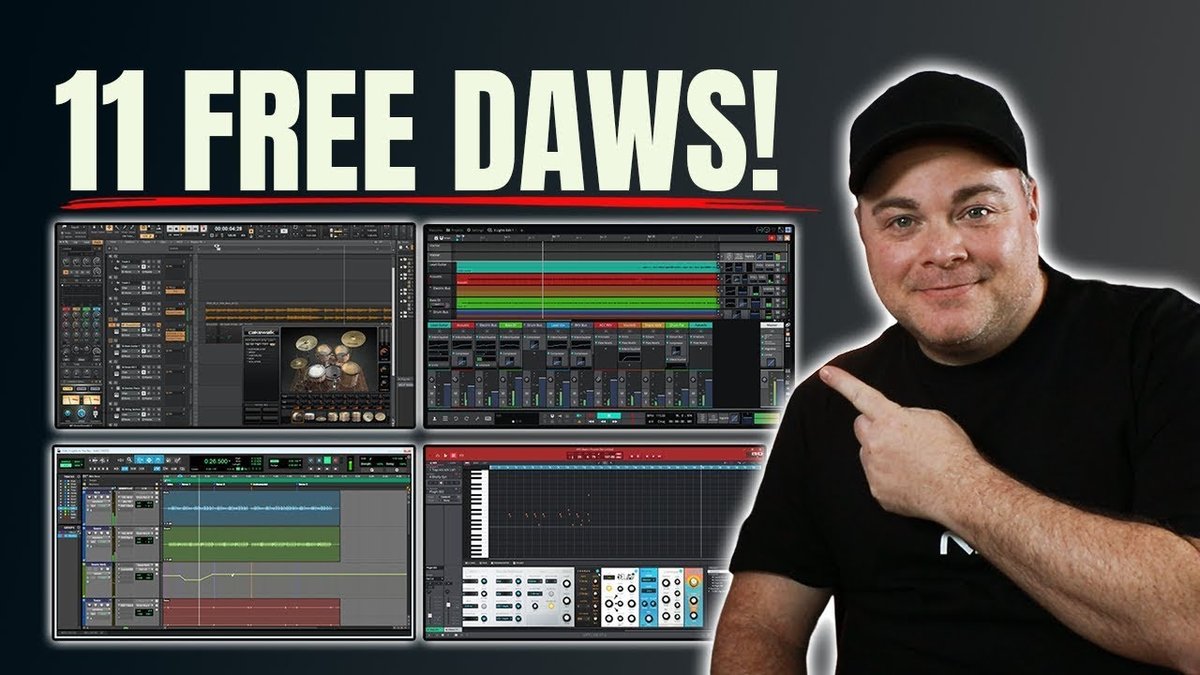
Staring at a blank screen, itching to lay down that killer riff but your budget is tighter than a guitar string? Finding the best free DAWs for Windows 11 can feel overwhelming, but it doesn't have to be. Plenty of powerful, completely free options can get you producing music today without spending a dime.
At a glance:
- Discover professional-grade free DAWs fully compatible with Windows 11.
- Learn which free DAWs are best for beginners versus experienced producers.
- Understand the capabilities and limitations of each option.
- Identify which DAWs offer advanced features like VST plugin support.
- Get a quick-start guide to get you recording your first track immediately.
Why Choose a Free DAW on Windows 11?
Let's face it, premium Digital Audio Workstations (DAWs) like Ableton Live or FL Studio can cost hundreds of dollars. Free DAWs let you explore music production, experiment with different workflows, and develop your skills before committing to a paid option. Think of it as a risk-free trial of the entire world of digital audio. Plus, many free DAWs are surprisingly powerful, offering features that rival their paid counterparts.
For example, Cakewalk by BandLab is a fully-featured DAW that's completely free for Windows users. It boasts unlimited audio and MIDI tracks, VST3 plugin support, and advanced mixing capabilities, making it a viable option for serious music production.
Key Features to Look for in a Free DAW
Before diving into specific recommendations, it's helpful to understand what features are crucial for your music production needs. Here’s a breakdown:
- Ease of Use: A beginner-friendly interface is essential if you're new to DAWs.
- Operating System Compatibility: Ensure the DAW is fully compatible with Windows 11. This should be a given, but double-check anyway.
- Plugin Support: VST (Virtual Studio Technology) plugins are essential for expanding the DAW’s capabilities with instruments and effects. VST3 is the latest standard and offers better performance.
- MIDI Support: MIDI (Musical Instrument Digital Interface) is crucial for working with virtual instruments and controllers.
- Audio Recording and Editing: Look for features like multi-track recording, audio editing tools (cut, copy, paste, fade, etc.), and effects processing.
- Mixing and Mastering: Some free DAWs offer basic mixing tools, while others provide more advanced features like EQ, compression, and metering.
- Track Count: The number of tracks available impacts the complexity of projects you can create. Some DAWs will limit you. Some won't.
- Community & Support: A strong user community and readily available tutorials can be invaluable, especially when you're getting started. Free Mac DAW Guide can also provide basic information to understand DAWs.
Top Free DAWs for Windows 11 (and Their Strengths)
Here’s a breakdown of some of the best free DAWs for Windows 11, highlighting their strengths and ideal users:
1. Cakewalk by BandLab:
- Strengths: Professional-grade features, unlimited tracks, VST3 support, advanced mixing tools.
- Ideal For: Experienced producers, serious hobbyists, anyone looking for a fully-featured DAW without the price tag.
- Downsides: Can be overwhelming for beginners due to its complexity.
- Example: Use Cakewalk to record a full band, mix a complex electronic track, or compose a film score.
2. Tracktion Waveform Free: - Strengths: Cross-platform compatibility (Windows, macOS, Linux), intuitive interface, unlimited tracks, flexible routing.
- Ideal For: Producers who want a modern and creative workflow, those working on multiple operating systems, electronic music producers.
- Downsides: May require a steeper learning curve than some other options.
- Example: Create complex soundscapes, design custom synthesizers, or produce electronic music with ease.
3. Audacity: - Strengths: Simple, lightweight, easy to use, excellent for audio editing and podcasting.
- Ideal For: Beginners, podcasters, voiceover artists, anyone needing basic audio editing capabilities.
- Downsides: Limited MIDI support, not a full-fledged DAW for music production.
- Example: Record and edit a podcast episode, clean up audio recordings, or create simple audio effects.
4. LMMS (Linux Multimedia Studio): - Strengths: Excellent for beat-making and electronic music production, includes a wide range of built-in instruments and effects.
- Ideal For: Electronic music producers, beatmakers, those interested in a free and open-source DAW.
- Downsides: Limited audio recording capabilities, interface can feel dated.
- Example: Create hip-hop beats, electronic dance music tracks, or experimental soundscapes.
5. Akai MPC Beats: - Strengths: Emulates the legendary MPC workflow, comes with a library of sounds and samples, easy to learn for beginners. Great for beatmaking and looping.
- Ideal For: Aspiring beatmakers, hip-hop producers, anyone familiar with the MPC workflow.
- Downsides: Limited mixing capabilities compared to other DAWs on this list.
- Example: chopping up samples, creating drum loops, and building entire tracks from scratch using the familiar MPC interface.
Choosing the Right Free DAW: A Decision Tree
Not sure which DAW is right for you? This decision tree can help:
- Are you a complete beginner?
- Yes: Go to 2
- No: Go to 3
- Do you need audio editing or podcasting?
- Yes: Audacity
- No: LMMS or MPC Beats
- Do you need a full-featured DAW for serious music production?
- Yes: Cakewalk by BandLab
- No: Tracktion Waveform Free
Quick Start: Getting Recording Immediately
Okay, you've chosen a DAW. Now what? Here’s a super-simplified quick start guide:
- Download and Install: Download your chosen DAW from its official website and follow the installation instructions.
- Connect Your Audio Interface (If applicable): If you have an external audio interface, connect it to your computer and select it as the audio input and output device in the DAW's settings.
- Create a New Project: Open the DAW and create a new project or session.
- Add a Track: Add an audio or MIDI track depending on what you want to record.
- Arm the Track: Arm the track for recording. This usually involves clicking a "record enable" button.
- Record: Hit the record button and start playing your instrument or singing into your microphone.
- Edit and Mix: Use the DAW's editing tools to clean up your recordings and adjust the levels of each track.
Example: If you chose Cakewalk, after creating a new project, click "Insert" -> "Audio Track" and select your audio interface from the input dropdown. Then hit the "R" button on the track to arm it for recording, then hit the big record button at the top.
Addressing Common Questions About Free DAWs
Q: Are free DAWs really powerful enough to create professional-sounding music?
A: Absolutely! While free DAWs may have some limitations compared to paid options, they are more than capable of producing high-quality music. Many hit songs have been created using entirely free software. The key is learning to use the tools effectively.
Q: Do free DAWs come with built-in instruments and effects?
A: Some do, while others are more bare-bones. LMMS, for example, comes with a variety of built-in instruments and effects, while Audacity focuses primarily on audio editing. Cakewalk offers a full suite of audio tools, and some free instruments via BandLab. Check the DAW's documentation to see what's included.
Q: Can I use VST plugins with free DAWs?
A: Many free DAWs, including Cakewalk by BandLab and Tracktion Waveform Free, support VST plugins, allowing you to expand their capabilities with third-party instruments and effects. Before installing, confirm compatibility.
Q: Will my projects be compatible if I upgrade to a paid DAW later?
A: It depends on the DAWs involved. Some DAWs offer compatibility with projects created in other DAWs, but it's not always guaranteed. It's always a good idea to research compatibility before making a switch.
Takeaway: Your First Steps to Free Music Creation
The world of free DAWs for Windows 11 is rich with options. The "best" choice depends entirely on your individual needs and experience level. Explore a few of the options outlined above, experiment with their features, and find the one that clicks. Remember, the most important thing is to start creating! Download a free DAW today and start making music.